Providing Liquidity
Learn how to place liquidity in Zest Protocol concentrated liquidity bins, how bin shares work, what a deposit costs and how to withdraw.
In Zest Protocol CLMM a position is a set of bin shares. A provider deposits into one or more bins and receives shares of each, which redeem for a proportional part of that bin’s reserves.
A Position, Step by Step
Pick a pool
A token pair can have a pool for each bin step. Narrow steps (1%) suit pairs whose price moves little, such as stablecoins; wide steps (20%) suit volatile or newly launched tokens. The narrower the step, the more finely you can place your range.
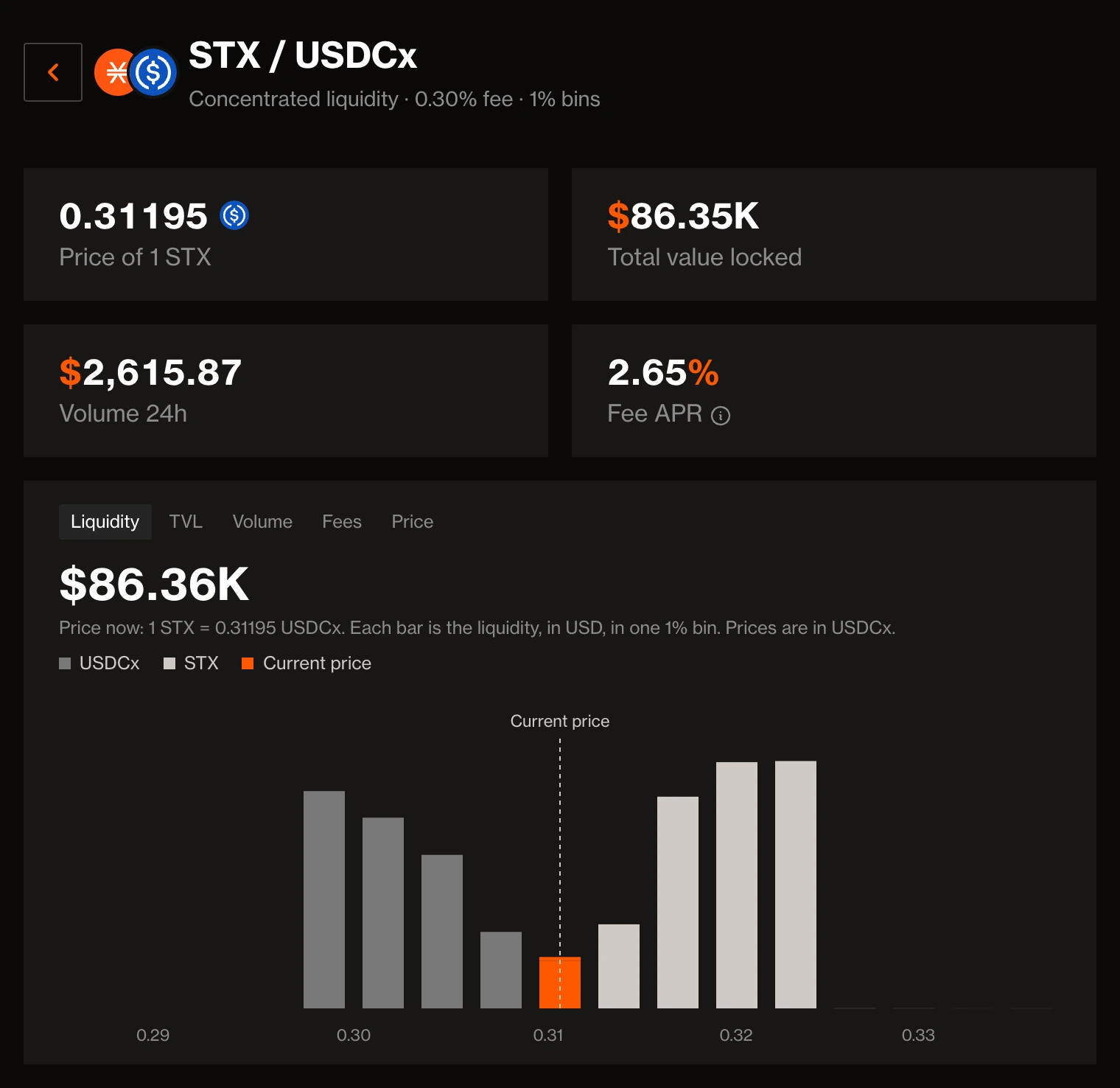
A pool’s page shows, from top to bottom: price, value locked, volume and fee APR; charts of liquidity and history; Your Position; recent activity; and pool details. You add and withdraw liquidity in Your Position, which holds both the deposit and the withdrawal form.
Choose your range
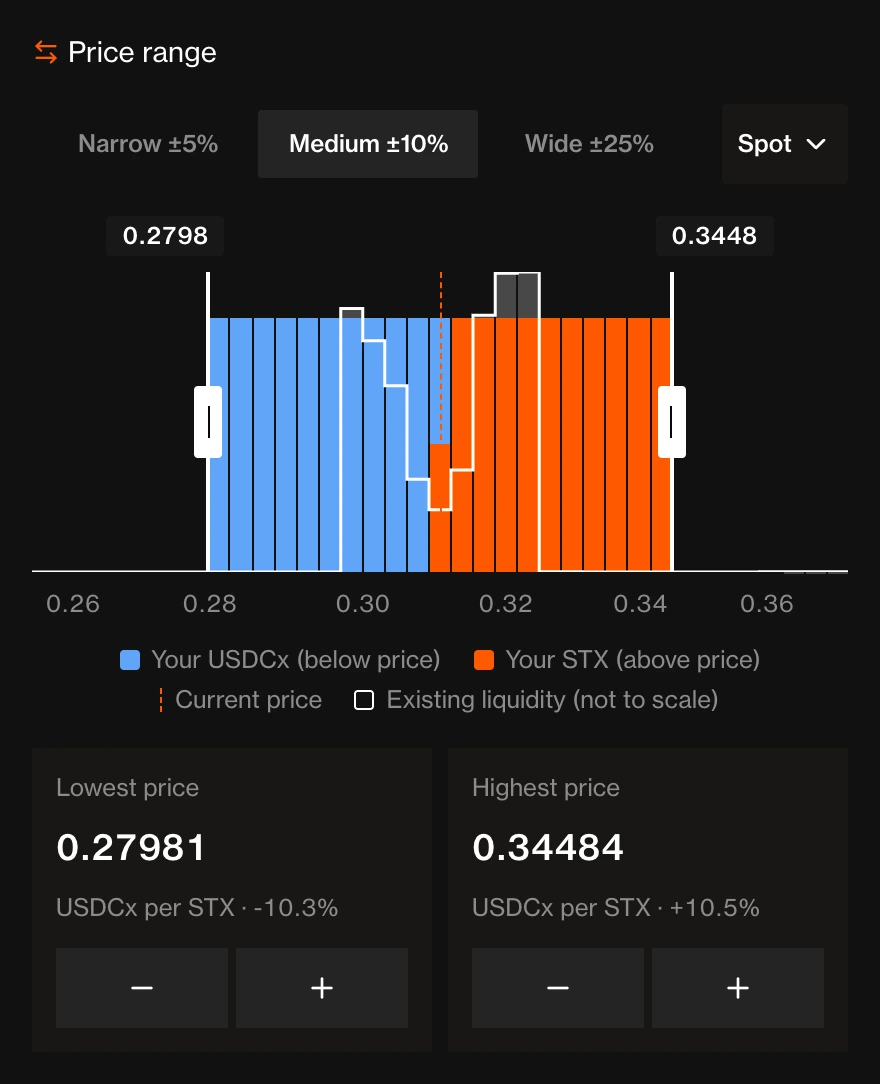
Fill the bins where you expect trading: pick Narrow, Medium or Wide around the current price, or set the lowest and highest price yourself. Bins below the current price take token X and bins above it take token Y, so you can fund a range with one token, or both if it spans the current price. The chart’s legend names the token each side takes.
The range comes first because it decides how your deposit splits between the two tokens.
Enter an amount
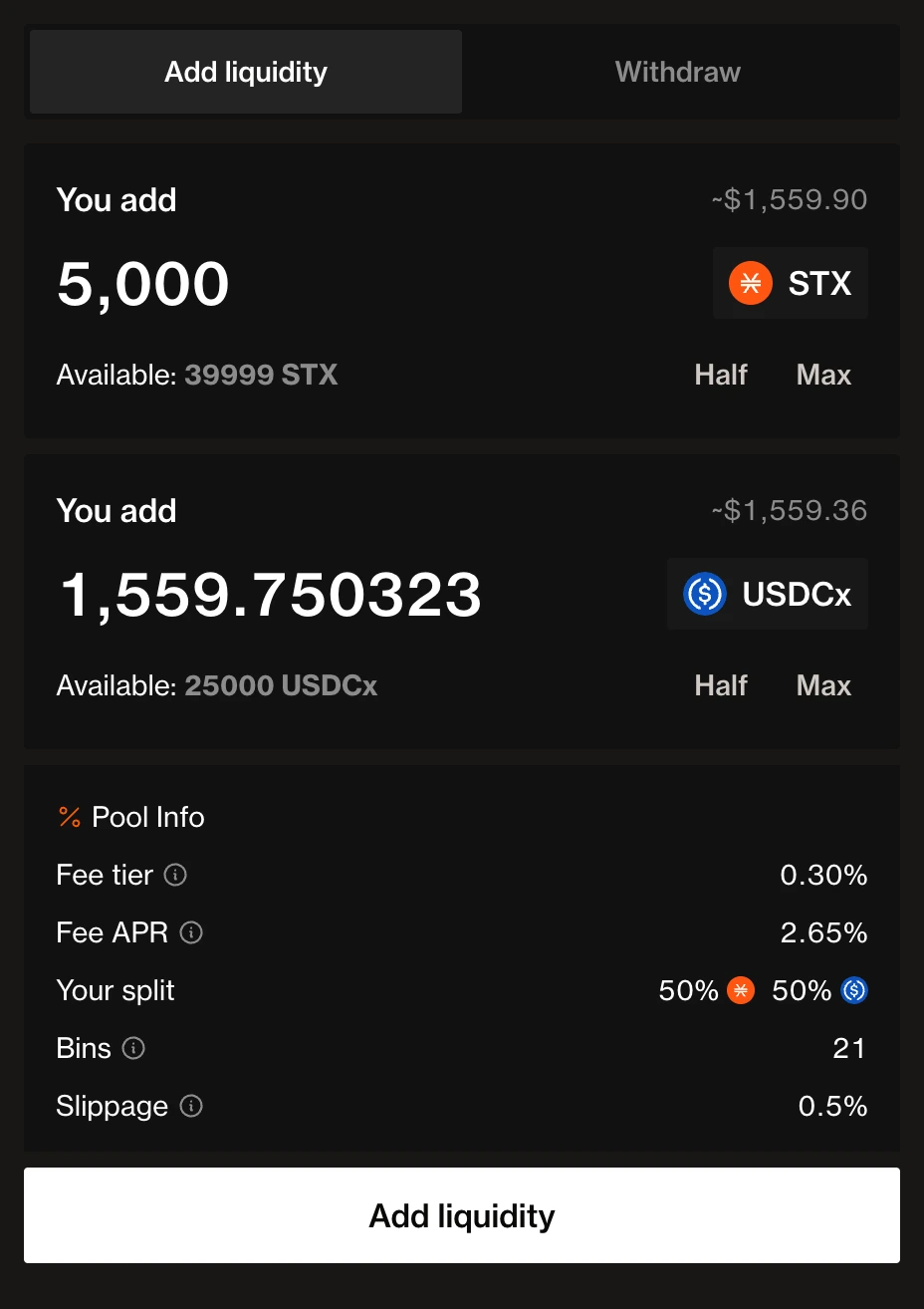
Type an amount of either token, and the app fills in the other to suit your range and shape. You can change either amount: a deposit can be in any ratio.
Deposit
Check your split between the two tokens and the bins it fills, then add the liquidity. If you bring more of one token than the bin’s ratio calls for, the bin swaps the excess for you and that swap pays the normal swap fee. You receive shares of each bin you fill.
Earn
Every trade through your bins adds its liquidity-provider fee to those bins. Your number of shares stays the same, and each share redeems for more. There is nothing to claim.
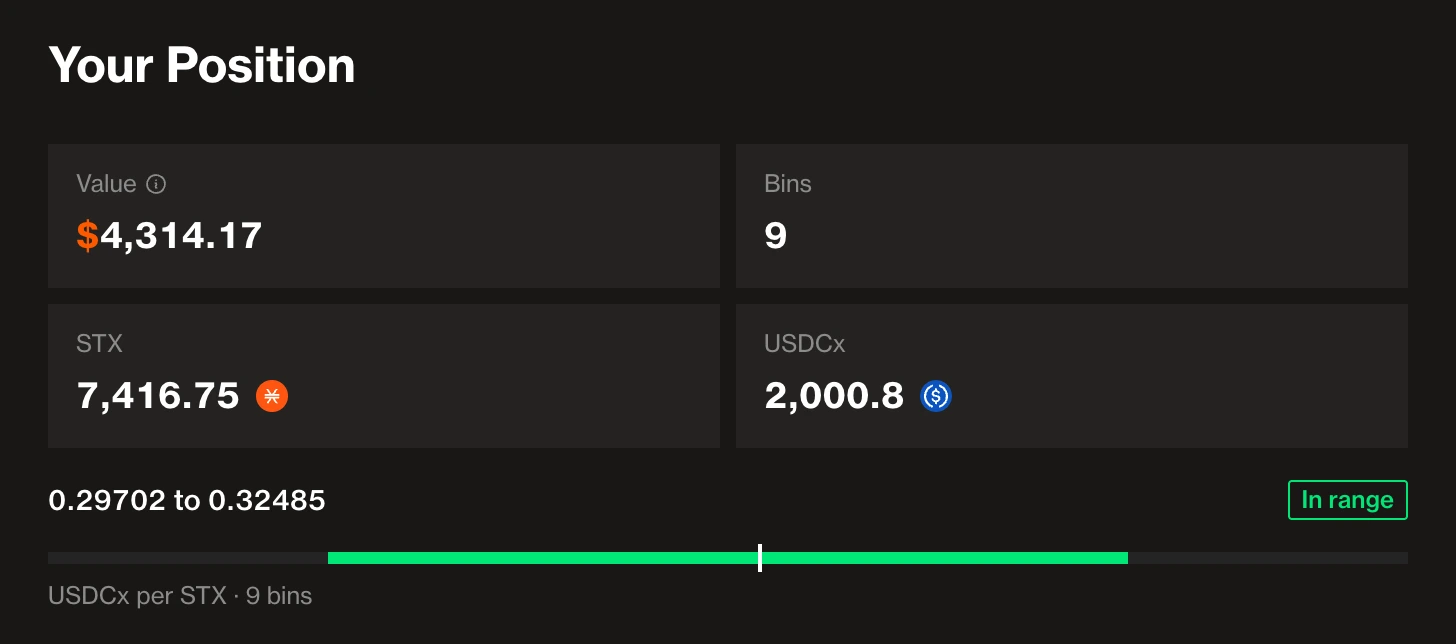
The My positions page lists your positions across every pool.
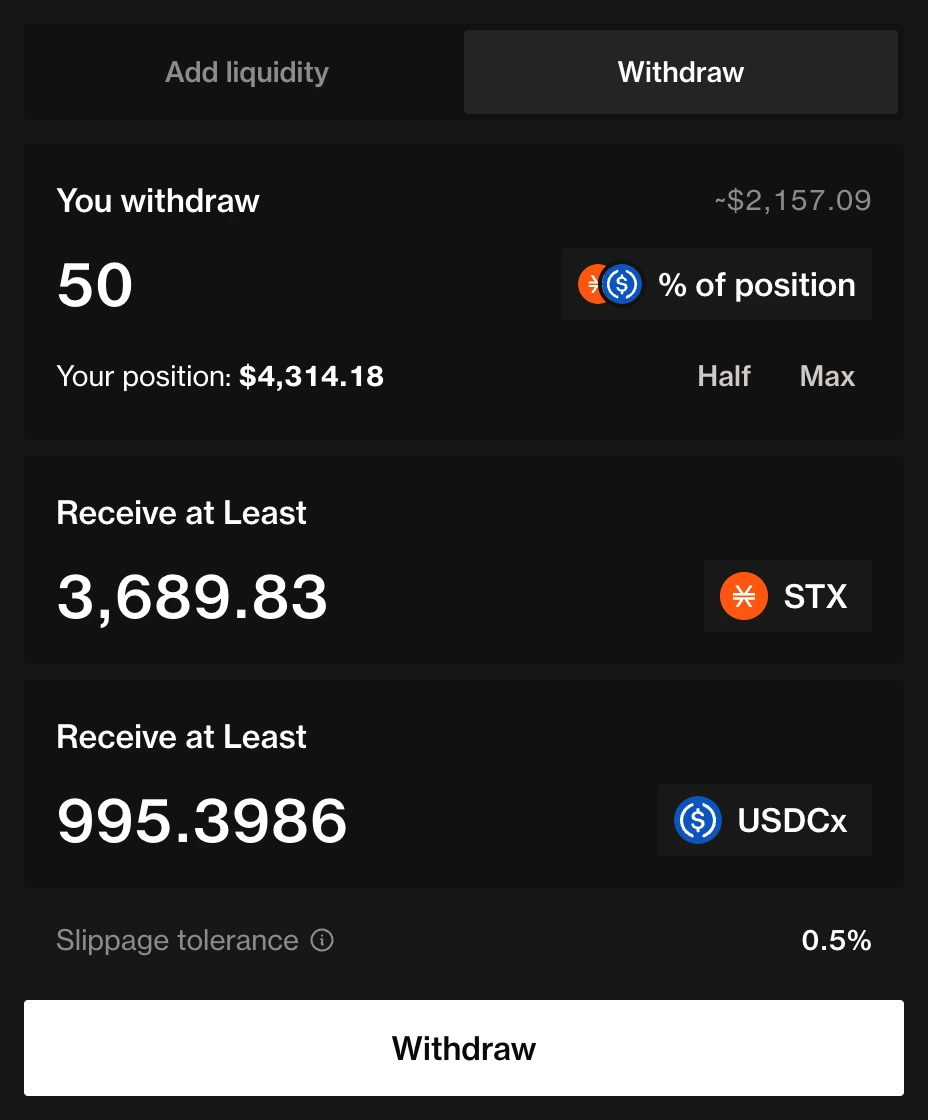
Withdraw
Redeem some or all of your shares, from one bin or from up to 64 bins in one call. You receive your part of each bin’s reserves as they are now, one transfer per token. The app withdraws the same percentage from every bin of the position. One withdrawal covers up to 64 bins, so a wider position, up to the app’s 100-bin maximum, takes two.
Choosing a Range
A range is the set of bins a provider fills. Liquidity earns fees only while the price trades through its bins:
- In range: the current price is inside one of the provider’s bins. Swaps pay fees into the position.
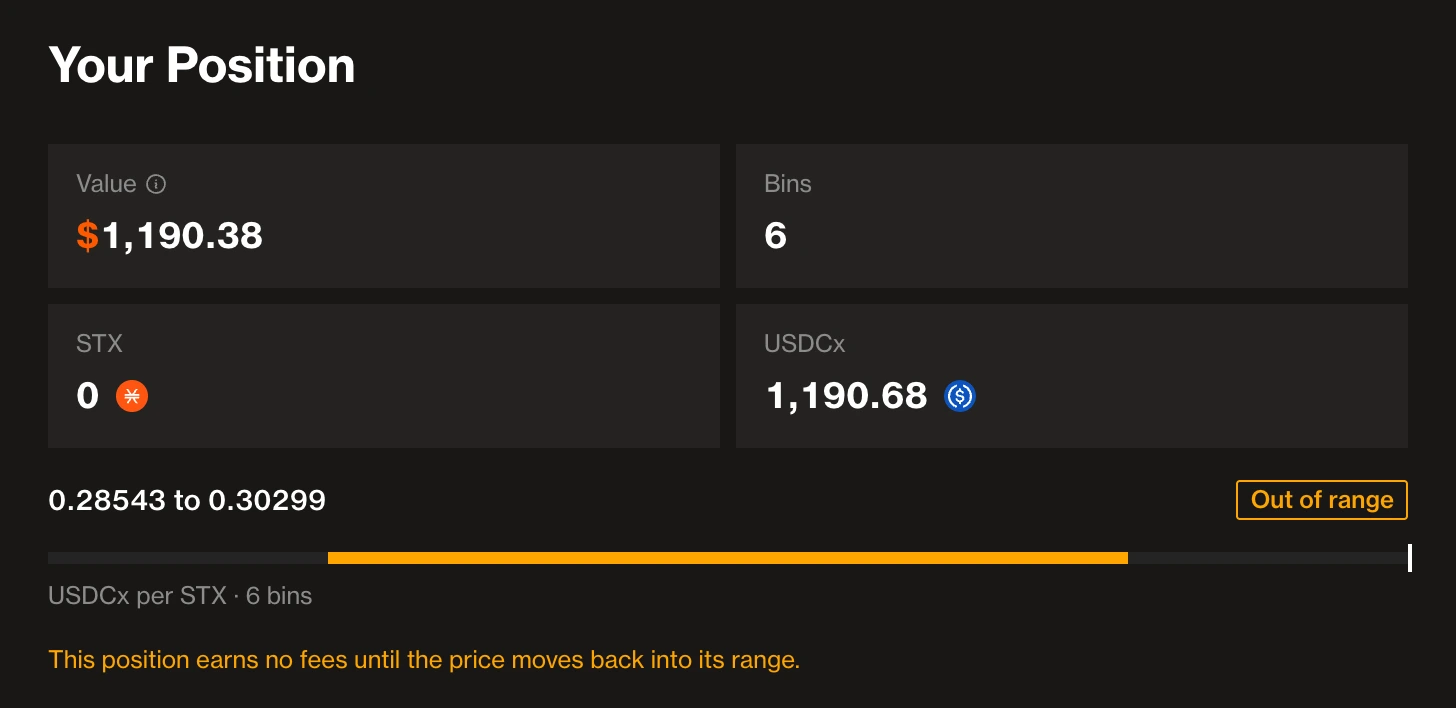
- Out of range: the price has moved past every bin of the position. The position holds a single token and earns no fees until the price returns.
A narrow range near the current price earns more fees per unit of capital while the price stays there, and goes out of range sooner. A wide range earns less per unit, for longer.
Shapes
A shape decides how a deposit is split across the bins of its range. Shapes exist only in the app: on-chain, each bin simply receives its own amounts.
| Shape | Where the liquidity goes | Suits |
|---|---|---|
| Spot | The same amount in every bin | Most markets |
| Curve | Most of it near the current price | A price you expect to stay close |
| Bid-Ask | Most of it far from the current price | Big price swings |
When the Price Leaves Your Range
Say your range is three bins around the current price, holding some of each token.
- If the price rises above your top bin, traders have swapped X for all the Y in your bins, and your position is all X.
- If the price falls below your bottom bin, traders have swapped Y for all the X in your bins, and your position is all Y.
Either way, your bins earn nothing until the price trades back into them. The pool never moves your range for you: to follow the price, withdraw and deposit into new bins.
Bin Shares
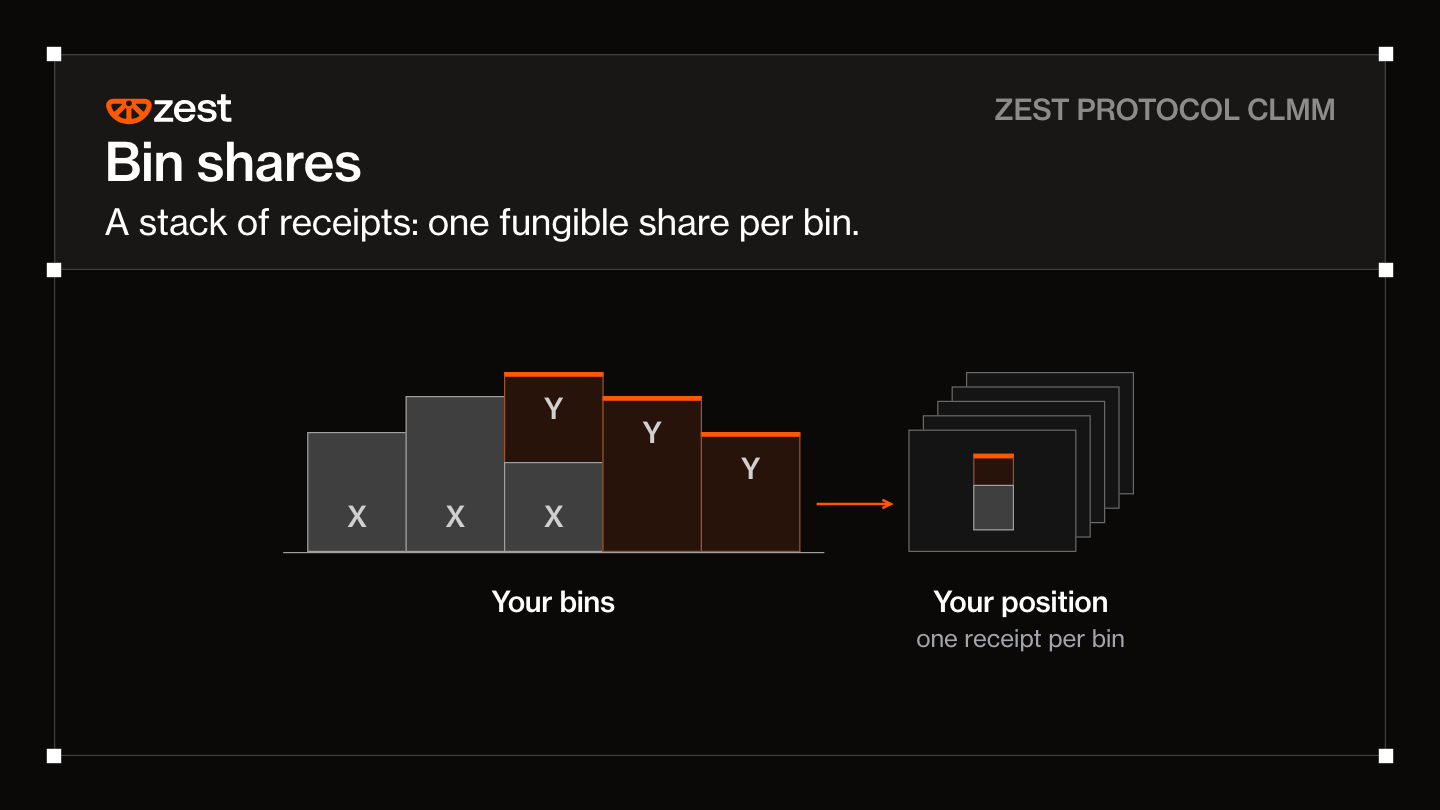
Each bin has its own share token, fungible within that bin: a SIP-013 token in the clmm-lp-token-v1 contract, with one token id per bin:
token-id = pool-id × 2⁶⁴ + (tick + 2³²)get-liquidity-token-id and parse-liquidity-token-id convert between a bin and its token id. Shares have no decimals. Only the pool can mint or burn them, and only their owner can transfer them, by calling the LP token contract directly.
Adding Liquidity
A deposit adds an amount of X and an amount of Y to one bin. The amounts can be in any ratio; the deposit always spends exactly the amounts given.
| Input | Meaning |
|---|---|
tick | The bin to deposit into |
dx, dy | Exact amounts of X and Y to deposit; one can be zero |
min-price | Lowest bin price, after the deposit, to accept (WAD: 10¹⁸ = price 1) |
max-price | Highest bin price, after the deposit, to accept |
min-shares | Fewest shares to accept |
If a trade moves the bin before the deposit confirms, so that the resulting price falls outside the bounds or fewer than min-shares would be minted, the deposit reverts.
To fill many bins in one transaction, the router’s add-to-positions-many deposits into up to 100 bins of one pool, each with its own amounts and bounds, so the app’s range goes no wider than 100 bins. A bin that would receive nothing makes the whole deposit revert, so the app asks for a larger amount or a narrower range when a deposit is too small to spread. Call quote-add-to-position to see a deposit’s shares and fees before signing.
What a Deposit Costs
A deposit that matches the bin’s current ratio is free. A deposit with more of one token than the bin’s ratio implicitly swaps the excess into the other token, and that implicit swap pays the pool’s swap fee on the excess, split between the bin’s liquidity providers and the protocol like any other swap fee.
This keeps deposits honest: the fee is designed so that adding liquidity at an off ratio and immediately withdrawing it cannot beat swapping directly.
The First Deposit in a Bin
The first deposit into an empty bin mints shares equal to the bin’s new liquidity, of which 1,000 are locked in the pool permanently. The lock makes a bin’s share price expensive to manipulate while it is nearly empty.
The First Deposit in a Pool
A new pool has no price until its first deposit, so the app asks the first provider for a starting price and warns when it is far from the market. A starting price away from the market is corrected by arbitrage at the first provider’s expense.
Removing Liquidity
reduce-position burns a percentage of the caller’s shares in one bin and pays out the same proportion of that bin’s current reserves, rounded down.
| Input | Meaning |
|---|---|
tick | The bin to withdraw from |
percent | Share of the caller’s shares to burn (10⁸ = 100%) |
min-dx, min-dy | Fewest X and Y tokens to accept |
reduce-positions does the same across up to 64 bins of one pool in a single call and pays each token once. A bin whose burn rounds to zero shares is skipped, so one dust position cannot block the rest.
Withdrawals work in active, sunset and paused pools alike.
What you receive
A withdrawal pays the bin’s reserves as they are now, not the tokens originally deposited. If the price has moved up through a bin, it holds more X; if down, more Y.
Withdrawing from a contract
The pool redeems shares only for an owner that calls it directly: the transaction sender must be the immediate caller. A contract the owner calls, a token included, cannot redeem the owner’s shares. A contract that holds shares itself redeems them from inside its own as-contract? call.
What LPs Earn and Risk
Fees. Each swap in a bin adds the liquidity providers’ share of its fee to that bin. A provider’s shares stay the same, but each share redeems for more.
Impermanent loss. As the price moves through a range, the position converts from one token to the other. The narrower the range, the faster this happens; a position that is fully out of range holds only the token that lost value relative to the other. Fees offset this; whether they outweigh it depends on volume, volatility and how the range is managed.
Token risk. A pool cannot protect providers from the tokens it holds. If a token is frozen or upgraded, or blacklists the pool, withdrawals of that token can be blocked.